Work on what matters to you
Create your own reminders or choose from a collection. Keep general habits and hero-specific lessons together, with priorities you can change.
Choose a Dota 2 habit to practise, hear reminders while you play, and review your decisions afterward. Timers, draft guidance, cooldowns, and ward plans are there when you need them.
Signed Windows release v1.4.71. Verify the publisher on the download page.
Watch the 23-second app walkthroughOn mobile, Mac, or Linux? Use the free Dota timer online →Free core No account required Windows 10 / 11
See DotaSense in a match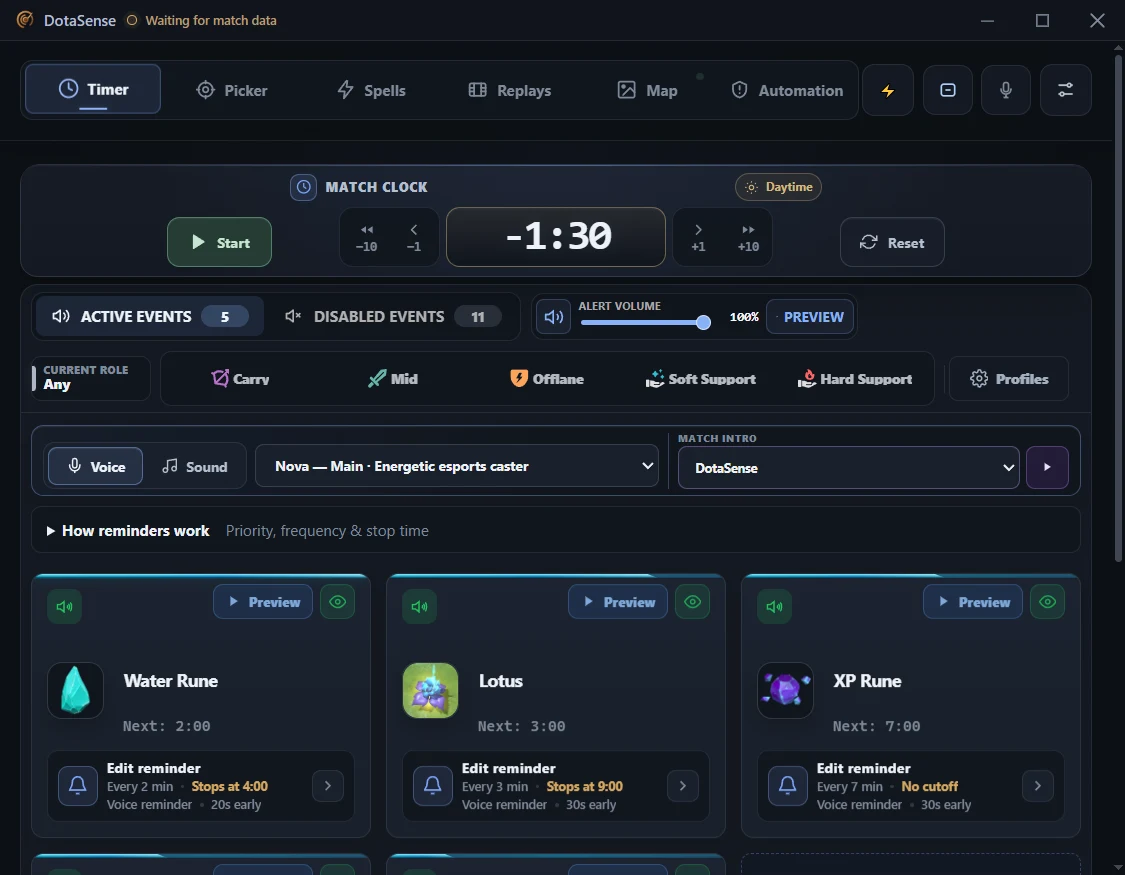
Keep the lesson from your last game in mind during the next one.
Create your own reminders or choose from a collection. Keep general habits and hero-specific lessons together, with priorities you can change.
Bring your habits into the in-game overlay. Set spoken reminders for chosen game times or after the draft, so your focus stays close while you play.
Assess your Lane, Map play, and Teamfights after a completed game. Save reflections and a next-game focus in a notebook that stays on your PC.
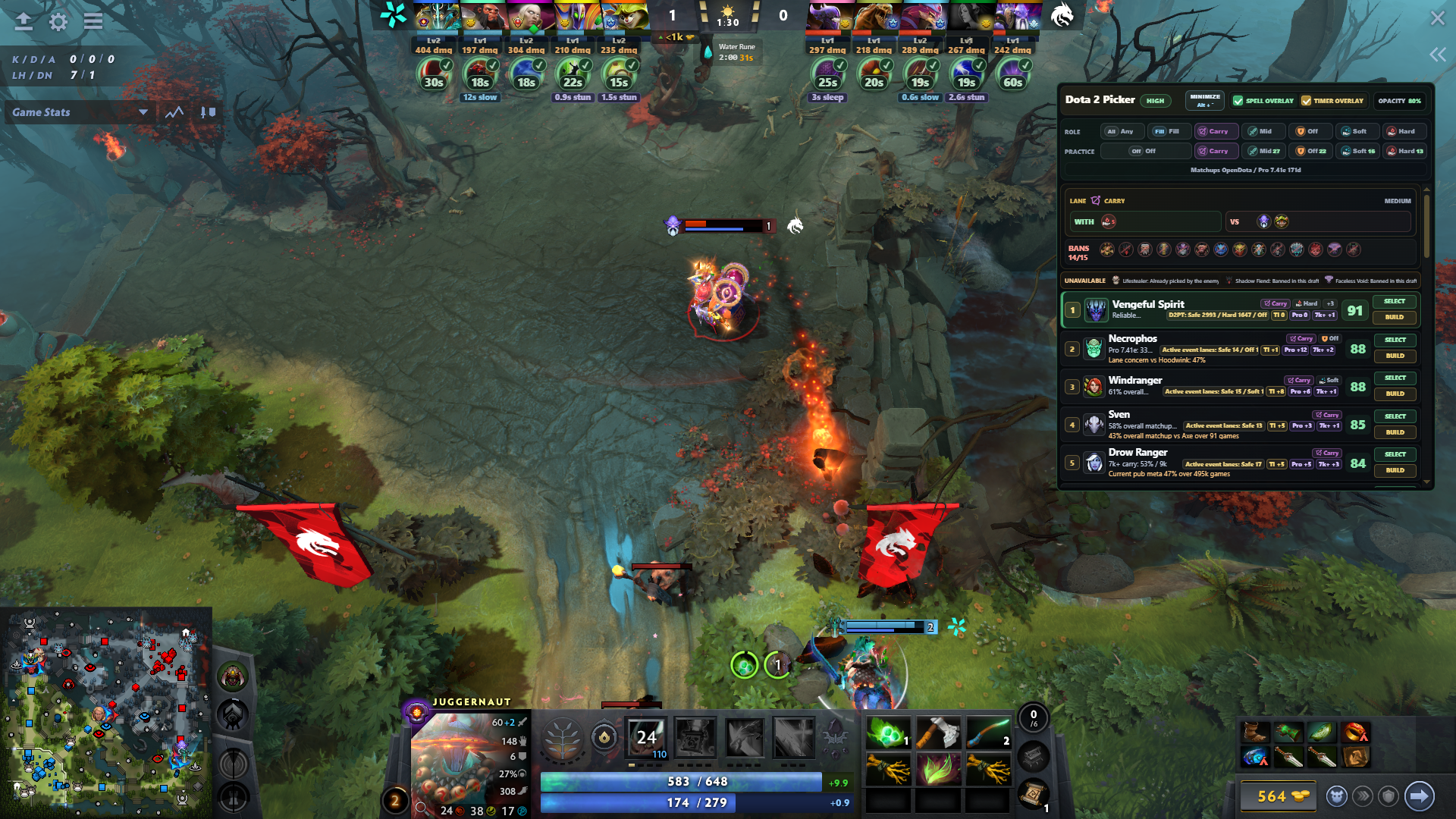
See DotaSense's timer, spell cues, and hero guidance in a captured Dota 2 match.
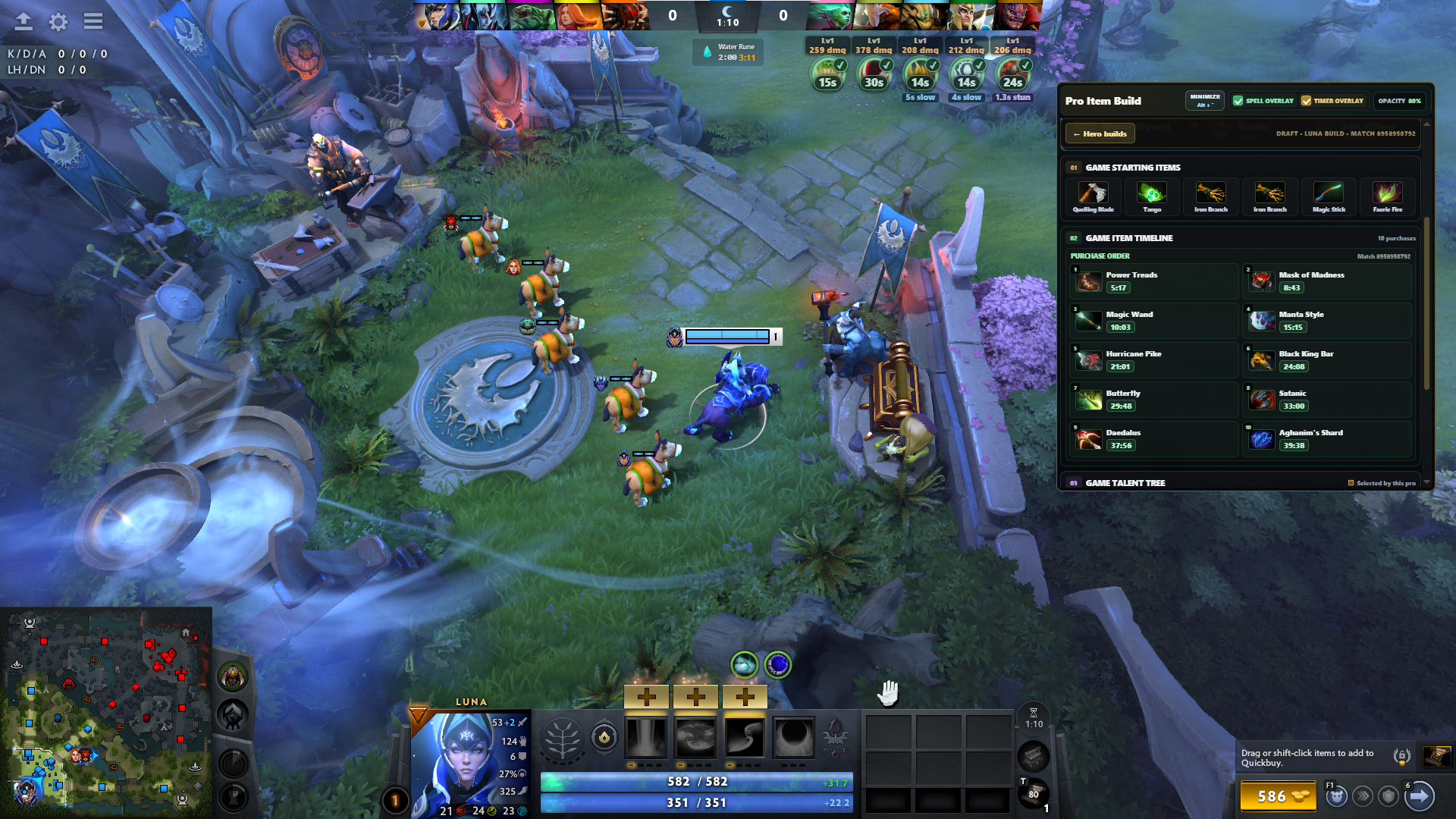
Choose a relevant professional match, keep its purchase order and talent path beside your game, then adapt the pattern to your own lane, tempo, and needs.
Build your habit routine, prepare a draft plan, track the match, and learn between games. Open the tools that help your next decision.
See setup, safety, and feature answers →Explore hero suggestions and keep a selected pro item and talent path beside your match. Adapt the plan as the game changes.
Check manually tracked enemy cooldowns, plan ward spots, and explore replay research between games. Some advanced workflows are Pro.
Get audio and visual reminders for stacks, runes, siege waves, Wisdom Shrines, Tormentor, Roshan windows, and your own custom events.
Use the browser for manual, no-install timing cues. Choose Windows for habit tracking, game reviews, draft guidance, and in-match tools.
Current Windows release: v1.4.71 is Authenticode-signed; verify the publisher before installing.
Play more than one match a day? Analyze every draft, keep your favorite setups, and prepare with more matchup context.
Compare counter-picks and team fit every time you queue, without waiting for your daily analysis to reset.
Use patch and tournament matchup data to inform your next pick, alongside the built-in draft guidance.
Save up to 50 profiles and switch between your role, hero, sound, and reminder setups without rebuilding them.
Use the Girlfriend intro in live matches with your chosen message. Preview the message and audio free before subscribing.
$4.99/month or $39.99/year · Save 33% annually · Core timing stays free
Choose your reminders, connect the clock, and keep control of every decision.
Turn stack, rune, siege, Wisdom Shrine, Tormentor, Roshan-window, and custom reminders on or off. Adjust pre-alerts and sounds per event.
Run the timer manually, use a global hotkey, or let Dota keep it in sync with the match clock already shown on screen. The connection stays on your PC.
Let the cue prompt a quick map check, then decide whether to stack, rotate, contest, or keep farming. The call stays yours.
Use each reminder as a check-in point, then confirm the live map state before acting.
Open the full Dota 2 timing cheat sheet →Use :53 as a reminder cue to check the camp and start the stack decision. The actual attack or pull moment varies by camp, direction, hero range, projectile, movement speed, and pathing.
Read the jungle stack timing guidePower-rune cycles begin at 6:00 and continue every 2 minutes. Use the alert as a setup cue to control the river rather than an instruction to force an unsafe contest.
Read the power rune guideAfter a confirmed kill, start the 8 to 11 minute respawn window. The cue marks when Roshan can return; it does not reveal the exact random spawn.
Read the Roshan timer guideCheck the current Tormentor spawn timing before moving. Only one is active at a time, and its side follows the day/night cycle, so use the reminder to check the current map state.
Read the Tormentor timing guideClear answers about safety, setup, pricing, and what the app can—and cannot—do.
DotaSense is a Dota 2 companion for Windows built around habit tracking. Choose general or hero-specific habits, get spoken reminders during a match, and review your decisions afterward. Draft suggestions, enemy cooldown tracking, ward planning, replay tools, and a free core timer support your practice.
Yes. Choose general or hero-specific habits, use spoken reminders while you play, and assess a completed game to save a next-game focus. Habit notes and reviews stay on your PC. These habit-tracking workflows are in the Windows app, not the browser timer.
Yes. You can start the timer yourself or let Dota keep it in sync using the match clock already shown on screen. The connection stays on your PC, and manual timing is always available.
DotaSense is a simple companion overlay, not a hack. Its normal timers and notifications use screenshots of what is visible, match data Dota shares with apps, and saved timing and build information. They do not access hidden game data or inject code into Dota. Valve makes the final policy decisions; optional input helpers are covered separately in the full FAQ.
The Windows surfaces can be positioned for different monitor layouts and resolutions. Use Dota 2's Borderless Window display mode when you want the visual overlay above the game; exclusive fullscreen can hide it, although audio alerts and configured global hotkeys can still be useful.
Yes. Each event can use its default sound, a built-in generic sound, or your own uploaded audio file. You can also mute an event while keeping it visible.
Hotkeys can be configured in the settings panel. You can set custom keyboard shortcuts for starting timers, adjusting time, and toggling the overlay visibility. Global hotkeys work even when the game is in focus.
Yes. Beyond the built-in stack, rune, siege, Shrine of Wisdom, and objective timers, you can create custom events, tune pre-alerts, move events between active and disabled tabs, and save setups into profiles.
The desktop app includes habit tracking, spoken reminders, local game reviews, the timer overlay, draft picker, enemy spell and buyback cooldown tracking, minimap ward planning, saved profiles and presets, replay research, global hotkeys, and per-event sound controls. Core timing is free, and the Hero Picker includes 1 draft analysis every 24 hours. Pro unlocks unlimited analyses and advanced profile and draft workflows.
DotaSense uses :53 as a useful reminder to start the stack decision, not as a universal attack or pull time. The correct moment varies by camp, pull direction, hero range and projectile, movement speed, and pathing, so test the camps you use and adjust the reminder when needed.
Power runes spawn every 2 minutes starting at 6:00 game time: 8:00, 10:00, 12:00, and so on. DotaSense can alert you before each cycle so you know when to check the river and decide whether it is safe to contest.
Roshan respawns within an 8 to 11 minute window after being killed. DotaSense tracks the window after a confirmed kill and reminds you when Roshan can return; it does not reveal the exact random respawn time or hidden map information.
Yes. The core Dota 2 timer is free. Pro Monthly is $4.99/month and Pro Annual is $39.99/year for multi-profile and advanced draft workflows.
The current verified desktop download is for Windows. macOS and Linux builds are not available yet; their download cards remain disabled until matching artifacts pass release verification.
Yes. The free DotaSense browser timer works without an install or account on modern desktop and mobile browsers. It is manual, and background audio is not guaranteed on phones. There is no native Android or iOS app; the always-on-top overlay, global hotkeys, and automatic timer sync are Windows-app features.
Build your practice routine with DotaSense for Windows. Core timing is free; advanced feature access follows the current offer.
v1.4.71 is Authenticode-signed and timestamped. Verify the published DotaSense publisher before running it.